
Google Chrome "Aw, Snap!" Error After Recent May 12, 2026 Windows Update
Following a recent Windows 11 update from May 12, users are experiencing frequent "Aw, Snap!" page crashes while using Google Chrome. We have put together a Step-by-Step temporary workaround until this is fixed by Microsoft/Google.
- Open Google Chrome.
- In the address bar, type or paste:
chrome://flags/#use-angleand press Enter. - Locate the setting labeled "Choose ANGLE graphics backend".
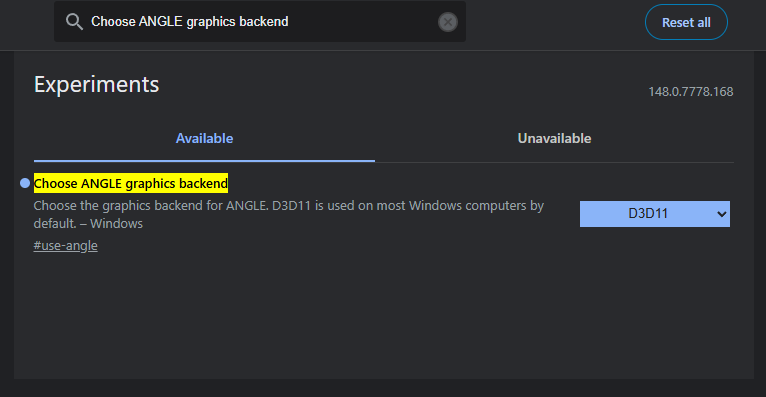
- Change the drop-down menu from Default to D3D11.
- Click the Relaunch button that appears at the bottom right of the screen after changes have been made.
Note: If you reboot your computer and the error returns, you will need to follow these steps again.
[1] https://piunikaweb.com/2026/05/15/fix-chrome-status-access-violation-error/
[2] https://www.reddit.com/r/chrome/comments/1tcp49x/comment/oluen2b